
ReciScan - Cookbook Maker
Dustin RunnellsFood & Drink
4.15.00 Reviews
- Version
- 1.0.82.0
- Installs
- 10.00K
- Age Rating
- Everyone
Screenshots
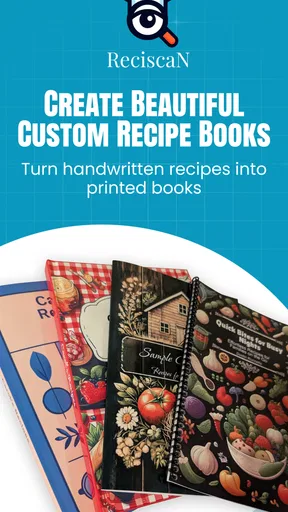

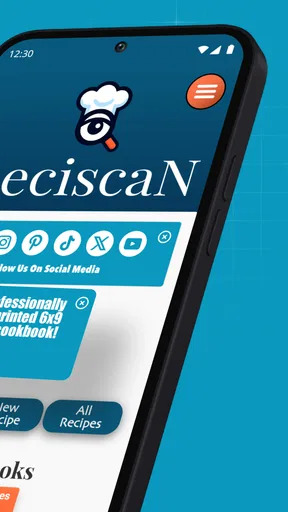
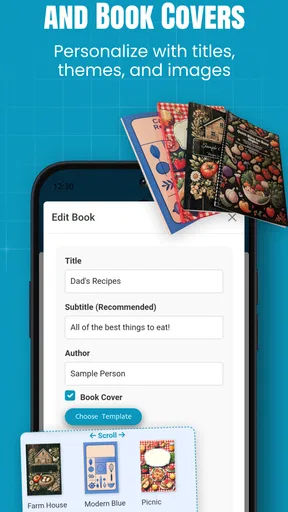
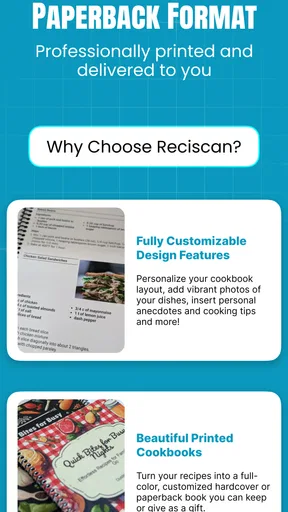
Our Review of ReciScan - Cookbook Maker
 Analysis by Appyee
I tried ReciScan - Cookbook Maker as a practical Food & Drink app rather than treating it like another recipe browser. Its main idea is personal ownership: take recipes you already have, turn them into a more organized collection, shape that collection into a cookbook, and order a printed copy when it feels ready. That makes it especially interesting for someone whose recipes are scattered across screenshots, paper cards, notes, and family messages.
My first impression was that this is not really competing with a meal-planning service or a social recipe feed. It is closer to a bridge between an old-fashioned recipe binder and a digital scanning workflow. The useful question is not whether it can replace every cooking app on your phone. It cannot. The better question is whether it can help you move from loose recipes to a keepsake cookbook without retyping everything from scratch.
The app is free to install, is suitable for Everyone, and comes from developer Dustin Runnells. It has reached over ten thousand installs, with an average rating of 4.1 from a small group of users. Those figures suggest a focused product with an established audience, but not one with the long track record of a major cooking platform. I would approach it as a specialized tool and judge it by how well it handles your own recipe material.
What the first-time experience is really like
The store name gives the broad promise, but the most important shift in mindset is this: you are bringing the content. If you want a large database of instantly searchable recipes, automatic weekly menus, grocery lists, or cooking videos, a conventional recipe app will probably suit you better. ReciScan makes more sense when the recipes already matter to you and the goal is to preserve, arrange, and eventually print them.
That distinction affects how you should begin. Do not install it while expecting an immediate dinner recommendation. Instead, choose a small, manageable set of recipes that you can inspect as you go. A family recipe card, a clipped magazine page, or a handwritten favorite is a better starting point than a box of hundreds of unrelated pages.
I also found the printed-book angle more useful when viewed as a project rather than a one-tap result. A cookbook is only as good as the source material and the checking you do before ordering. Scanning can save time, but it does not remove the need to verify ingredient amounts, headings, and preparation steps. The app helps with the transition; it does not replace your editorial judgment.
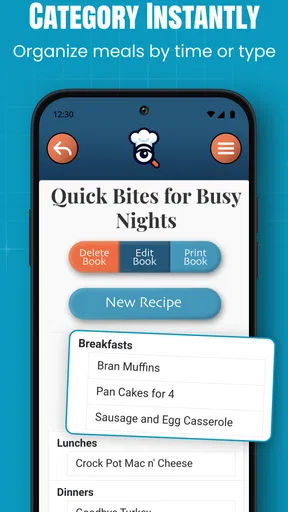
That is one of the app’s strengths. It encourages you to treat recipes as something worth curating. You can decide which versions belong together, which family notes should remain, and which pages need cleaning up before they become permanent. A generic recipe service usually optimizes for finding tonight’s meal. This one is more appealing when the collection itself is the destination.
Installing it without overcomplicating the project
ReciScan runs on Android devices using Android 7.0 or later. On a compatible phone, the sensible first step is simply to install the free app and open it with one recipe ready. I would avoid preparing an entire cookbook before learning how the scanning and organizing process feels. A short trial gives you a much clearer idea of the amount of checking involved.
The current version is 1.0.82.0, while the app was released on May 27, 2024. I mention that because expectations should be realistic: this is a relatively young, focused app rather than a decades-old publishing suite. A newer tool can feel direct and less cluttered, but it may also require you to be patient with workflows that are still developing.
When you begin, choose a recipe with clear contrast and a reasonably simple layout. A clean printed page is a better test than a faded card with writing crossing through several lines. This is not just about convenience. It lets you separate scanning quality from the app’s organization tools. If the first source is difficult to read, you may blame the wrong part of the process.
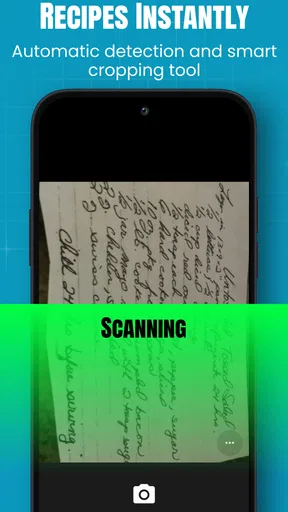
Lighting and positioning matter too. Place the page flat, avoid shadows from your hand or the phone, and make sure the full recipe is visible before capturing it. For a handwritten card, take an extra moment to check whether letters and fractions are easy to distinguish. The app can help digitize a recipe, but a blurry or cramped source creates avoidable correction work.
Turning one recipe into a meaningful first success
For a reassuring first result, I would scan one recipe and then immediately read it as if I were about to cook from it. Do not only check whether the page looks complete. Look at the ingredient list, quantities, temperature, timing, and any short notes that could change the result. This cooking-focused check is more valuable than a quick visual glance.
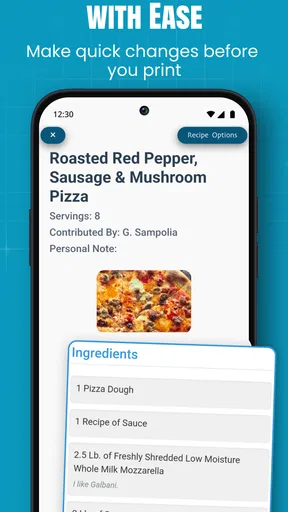
A practical test is to compare the digital version against the original from top to bottom. Check fractions especially carefully, because a small transcription error can change a recipe more than a misspelled ingredient name. Also look for line breaks: a preparation instruction that has been separated awkwardly may still appear readable while changing the intended meaning.
Once the recipe looks right, use it as the model for the rest of your collection. Decide how you want to name recipes, whether family nicknames should stay, and how much personal context belongs with each one. Consistency becomes important later. If one recipe is called “Grandma’s Sunday Cake,” another is filed only as “Cake,” and a third uses a long descriptive title, finding and arranging them will feel less tidy.
This is where I see a non-obvious benefit: the first scan is not merely a test of recognition. It is a chance to establish your cookbook’s editorial rules. You can decide early whether the book is organized by course, season, family member, or personal favorites. That decision can save more time than rushing through the initial capture.
If your first recipe is successful, repeat the process with two recipes that are deliberately different: perhaps a neat printed page and a handwritten card. That comparison tells you what kind of material the app handles comfortably and where you will need to spend more time reviewing. It also prevents an unrealistic assumption that every page in an old collection will require the same amount of attention.
Where new users may hesitate
The word “scan” can sound more automatic than the real task. Capturing a page is only one part of making a dependable cookbook. You still need to inspect the result, correct anything that looks wrong, and decide whether the recipe is complete enough to preserve. I would not send a book to print immediately after importing a large batch.
Another possible point of confusion is the difference between a recipe archive and a designed book. A digital collection can tolerate inconsistent titles, missing notes, and occasional rough formatting. A printed cookbook makes those issues more visible. A page that is acceptable on a phone may feel unfinished when placed beside carefully prepared pages.
My advice is to use a staged workflow: capture, review, organize, then prepare the book. Keeping these stages separate makes it easier to find mistakes. If you edit while scanning every page, you may lose track of which recipes have already been checked. A simple personal checklist can help, such as marking each item as captured, verified, and ready for the collection.
Handwritten recipes deserve special caution. They often contain personal abbreviations, implied steps, and measurements that make sense only to the original cook. Even if the words are captured correctly, the result may still need your interpretation. I would preserve the original card alongside the digital version instead of treating the scan as a perfect replacement.
Printed recipes can have their own problems. Decorative fonts, columns, stains, and text printed over photographs can make the page harder to process and harder to read later. If a recipe is important, keep the original nearby during review. The purpose of digitizing it is to make it safer to use and preserve, not to create a new source of uncertainty.
How I would use it in an everyday situation
Imagine finding a folder of recipes before a family gathering. Instead of trying to type every card into a document, I would start with the dishes I know people will ask for: the main dish, a dessert, and one side. I would scan each, compare the digital result with the originals, and give them clear names that make sense to someone who did not write the cards.
After that, I would add the small details that make the collection personal. A note about who traditionally made the dish, an alternative ingredient, or a reminder about resting time may matter more than decorative design. This is a strong use case for the app because the value is not just storage. It is turning informal family knowledge into something another person can actually follow.
For a busy home cook, the same workflow could begin with a handful of recipes saved from different places. The advantage is less about discovering new meals and more about reducing the friction of keeping favorites together. Instead of searching through camera photos or message threads, you are building a collection around recipes you have already chosen.
I would not use it as my only tool for urgent dinner planning. If I need a quick suggestion based on ingredients in the refrigerator, a meal-planning app or a broad recipe search will usually be faster. ReciScan earns its place when I am preserving recipes, preparing a personal gift, or creating a book that has meaning beyond one meal.
Designing a collection that remains useful
A cookbook project can become messy when every recipe is included simply because it is available. I recommend selecting recipes with a clear purpose. You might create a small family dessert book, a collection of weeknight staples, or a record of recipes connected to a particular person. A focused theme makes the final result easier to navigate and more satisfying to keep.
Ordering also deserves thought. Alphabetical order is easy to maintain, but it may not be the most natural reading experience. Grouping breakfast items, soups, mains, sides, and desserts can make the book feel more like a usable kitchen companion. Seasonal or event-based groupings can work well too, especially if the collection is intended for a particular household.
One useful trade-off is between preserving authenticity and improving clarity. A handwritten title may carry emotional value, while a more descriptive title helps a new cook understand what the recipe is. I would keep the original wording where it matters and add clarifying context only when it prevents confusion. Over-editing can remove the character that made the recipe worth saving.
Before considering a printed order, read the recipes in sequence rather than only opening them individually. This catches inconsistent terminology and repeated dishes. It also reveals whether the collection feels balanced. A cookbook can be technically complete but still frustrating if similar recipes are scattered or if important introductory notes appear too late.
The print-related part of the app is appealing because it gives the project a physical endpoint, but it also introduces a financial decision. In-app purchases are listed at $4.99 per item, so I would review what I am selecting before confirming any paid action. The free installation lets you explore the concept, but creating a finished printed book may involve spending, and that should be treated as part of the planning rather than an afterthought.
Who will appreciate it, and who should choose something else
I think ReciScan is a good match for people with meaningful recipes outside a standard online database. It is particularly suitable for family collections, handwritten cards, personal binders, and cooks who want a physical cookbook built from their own material. It can also appeal to someone who enjoys organizing and is willing to review scans rather than trusting automation blindly.
It is less suitable for a person who wants a huge stream of new recipes, nutrition-led filtering, restaurant discovery, or a complete meal-planning system. Those needs belong to broader Food & Drink apps. The same is true for someone who dislikes document cleanup. If checking captured text feels like tedious work, the printed-book goal may not feel rewarding enough.
There is also a question of scale. A small, carefully chosen collection is easier to manage than an entire archive imported in one rush. For a very large cookbook project, a desktop publishing program may offer more control over typography, page layout, and detailed editing. The trade-off is that such software usually demands more manual work and a steeper learning curve.
Compared with photographing recipes into a phone gallery, this app offers a more purposeful path toward organization and printing. A gallery is quick, but searching and arranging images later can be frustrating. Compared with typing everything into a document, ReciScan may reduce the initial effort, while the document gives you more direct control over wording and layout. The right choice depends on whether speed of capture or precision of editing matters more to you.
Small habits that make the workflow better
My first tip is to keep the original source until the cookbook is finished. That sounds obvious, but it becomes important when a quantity looks unusual or a sentence seems incomplete. The original is your reference point, especially for family recipes where context may be missing from the page itself.
My second tip is to create a naming convention before scanning more than a few recipes. Decide whether you will use personal names, dish names, or both. This prevents a collection from becoming difficult to browse and makes it easier to spot duplicates. It also helps other family members understand the book without needing to ask you what every title means.
My third tip is to review recipes at the moment you are most likely to notice practical errors: when you are cooking them. If a step is unclear, fix the digital version soon afterward while the memory is fresh. A note such as “chill overnight” or “add the reserved liquid gradually” can be easy to overlook during a quiet editing session but essential in the kitchen.
I would also keep a separate decision between preservation and adaptation. If you change an ingredient for modern preferences, retain the original wording where possible and label the adjustment in your own notes. That gives future readers both the historical recipe and the version your household actually uses.
Finally, do not judge the whole app by a difficult first page. Test a clean source, learn the workflow, and then return to the harder material. This approach gives you a fairer sense of what the app does well and helps you estimate how much time your particular recipe archive will require.
My final take after using it as a cookbook project
ReciScan - Cookbook Maker has a clear identity: it is for turning personal recipes into a more organized collection with the possibility of a printed result. I like that it focuses on material people already own instead of trying to become another endless recipe feed. The strongest experience comes when you treat it as a careful preservation project, not as a fully automatic publishing machine.
The app’s free entry point makes it easy to test with one or two recipes, and the Everyone age rating keeps it approachable for a household project involving different generations. Its rating of 4.1 shows that users generally see value in the idea, although I would still keep expectations grounded because the audience is modest and the product is relatively new.
My recommendation is straightforward: try it if your recipes are personal, scattered, or waiting to become a family cookbook. Start small, inspect every scan, establish consistent names, and think about the printed result before building a large collection. If your priority is instant meal discovery or advanced page design, another type of app will serve you better.
For me, the app’s real success is not the act of scanning a page. It is the moment when a recipe that used to live only on a fragile card or forgotten screenshot becomes easy to find, understandable to someone else, and ready to preserve. That is the point where ReciScan feels genuinely useful, provided you are willing to contribute the care that a meaningful cookbook deserves.
Verdict
Strengths of ReciScan - Cookbook Maker
- Scans recipes quickly from photos, saving time on manual typing.
- Keeps recipes organized in a personal digital cookbook.
- Useful search tools make saved recipes easier to find.
- Helps preserve handwritten or printed family recipes.
- A practical option for reducing paper recipe clutter.
Limitations of ReciScan - Cookbook Maker
- Scan accuracy may drop with messy handwriting or poor lighting.
- Some recipes may require manual editing after scanning.
- Advanced features may be limited without a paid plan.
- The app depends on camera access and photo permissions.
- Large recipe collections may need regular backups to avoid data loss.
Similar Picks in This Category
View All
Rappi: Food Delivery, Grocery
Rappi, Inc - Delivery3.5

McDonald’s: Cupons e Delivery
Arcos Dorados4.3

Swiggy: Food Instamart Dineout
Swiggy4.7

Blinkit: Groceries & more
Blinkit4.8

foodpanda: food & groceries
Foodpanda GmbH a subsidiary of Delivery Hero SE4.0

Zomato: Food Delivery & Dining
Zomato4.7
Frequently Asked Questions
What is ReciScan - Cookbook Maker used for?
ReciScan - Cookbook Maker is designed to help you turn recipes from printed pages, screenshots, photos, or other sources into an organized digital cookbook. After scanning or importing a recipe, you can save it for easier access, keep your collection in one place, and avoid repeatedly searching through websites, social media posts, or handwritten notes when you want to cook a familiar dish.
How does recipe scanning work in ReciScan - Cookbook Maker?
The app generally uses your device camera or imported images to recognize recipe text and convert it into editable digital content. For the best results, place the page on a flat surface, use good lighting, and make sure the writing is clearly visible. Recognition may be less accurate with blurry photographs, decorative fonts, handwritten recipes, unusual layouts, or pages containing multiple columns, so reviewing the scanned result is recommended.
Can I edit and organize recipes after scanning them?
Yes, one of the main advantages of a digital cookbook maker is the ability to correct recognized text and customize saved recipes. You can typically review ingredients and instructions, fix scanning mistakes, add useful notes, and organize recipes so they are easier to find later. This is particularly helpful when preserving family recipes or adapting instructions to your preferred cooking style.
Does ReciScan - Cookbook Maker require an internet connection?
Some features may work directly on your device, while others can depend on online processing, account services, synchronization, or optional premium tools. Because requirements can vary by version and platform, it is worth checking the app’s current store listing before downloading. If you plan to scan recipes while traveling or in a kitchen with unreliable connectivity, test the scanning workflow offline first.
Is ReciScan - Cookbook Maker free to download?
The app’s availability, pricing, subscriptions, and included features may differ between Android and iOS and can change with future updates. Before installing, review the store page carefully for in-app purchases, trial terms, subscription renewal details, and limits on scanning or storage. The free version may be enough for occasional use, while frequent cookbook building could require a paid plan or premium upgrade.
